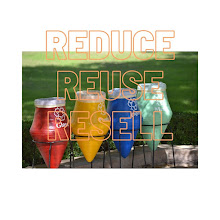
To use Canva to create digital art from analog photos, upload your photo, then use built-in apps like Sketchify to turn it into a sketch or AI art generator to create art in various styles. You can then refine the image with filters, crop it, add text, and download the final result.
Here are the steps to convert your analog photo into digital art:
1. Upload your Photo
- Launch Canva on your desktop or mobile device.
- Start a new project or open an existing one.
- Upload your analog photo to your design using the "Uploads" tab or drag and drop it onto the canvas.
- 2. Apply a Digital Art Style
- In the editor, go to the "Apps" icon on the left sidebar.
- Search for and select the Sketchify or Sketch to Life app to convert your photo into a sketch or drawing.
- In the editor, go to the "Apps" icon on the left sidebar.
- Go to "Apps" and search for Magic Media or another AI art generator to transform your photo into different art styles.
- You can then describe the desired art style, such as "watercolor" or "vintage," to guide the AI.
- Go to "Apps" and search for Magic Media or another AI art generator to transform your photo into different art styles.
3. Enhance your Digital Art- Edit the Photo: Select the generated art, then go to "Edit Photo" to make adjustments.
- Add Filters: Apply vintage or other artistic filters under the "Filters" option to enhance the mood and style of your digital art.
- Crop and Resize: Use the crop and resize tools to adjust the composition of your artwork.
- Add Elements and Text: Incorporate fonts, colors, and other graphic elements from Canva's library to personalize your design.
4. Download and Share- Once satisfied with your creation, click the "Share" or "Download" button.
- Choose your desired file format, such as JPG or PNG, and download the digital art to your device.
- You can also share it directly to your social media or embed it on your website from within Canva.
Comments